Fortnite scam pages like the ones below appear by the dozen every day, recycled endlessly under different names and designs.
One version promises $50 from a fake superhero collaboration. Another claims it can calculate what your locker is worth. Both lead to the same destination: a fake Epic Games login page designed to steal your account. It’s an old trick, but it still catches people out.
The short version
If a website promises free V-Bucks, cash, or a tool to calculate your locker’s value, then asks you to log in with your Epic account to get it, it’s not run by Epic.
Epic doesn’t offer an official tool that values accounts, and no legitimate giveaway requires you to sign in through a third-party site. You’re just handing your Epic username and password to scammers.
If you or your child entered your Epic login details on one of these sites, assume the account has been compromised. Change the password immediately, turn on two-factor authentication, and don’t reuse that password on any other accounts.
Why do they want your login?
A stolen Fortnite account can be worth real money. Criminals can take over accounts with rare skins, spend any saved payment methods, sell the account on underground marketplaces, or use it to scam the owner’s friends. They may also try the same username and password on other online accounts, hoping the password has been reused.
Why Fortnite?
Fortnite still attracts around 110 million monthly players and has more than 650 million registered accounts. That alone makes it an attractive target for cybercriminals.
The audience’s age matters too. In December 2022, the US Federal Trade Commission (FTC) fined Epic Games a record $520 million, after alleging that the company knew children made up a substantial share of its player base and left voice and text chat turned on by default, exposing them to strangers. The Consumer Financial Protection Bureau (CFPB) also cites industry experts who say young gamers are especially vulnerable to phishing because they spend more time on social media and are less familiar with social engineering.
The game is also built around visible status. Skins, emotes, and pickaxes cost real money, making the idea that “your locker has a price” feel plausible. Rare or discontinued skins really do sell for hundreds of dollars on unofficial marketplaces, even though Epic offers no official way to cash out V-Bucks and selling accounts violates its terms of service. That kernel of truth is exactly what these locker-value scams exploit.
That’s also what makes them more convincing than a simple V-Bucks giveaway. Instead of promising something for nothing, they play on curiosity about something the player already owns. That’s probably why this version keeps coming back.
How the scam works
Some pages promise rewards:
Others skip the free-reward pitch and frame the locker itself as hidden value the player is owed:
Others frame it as competition instead of currency:
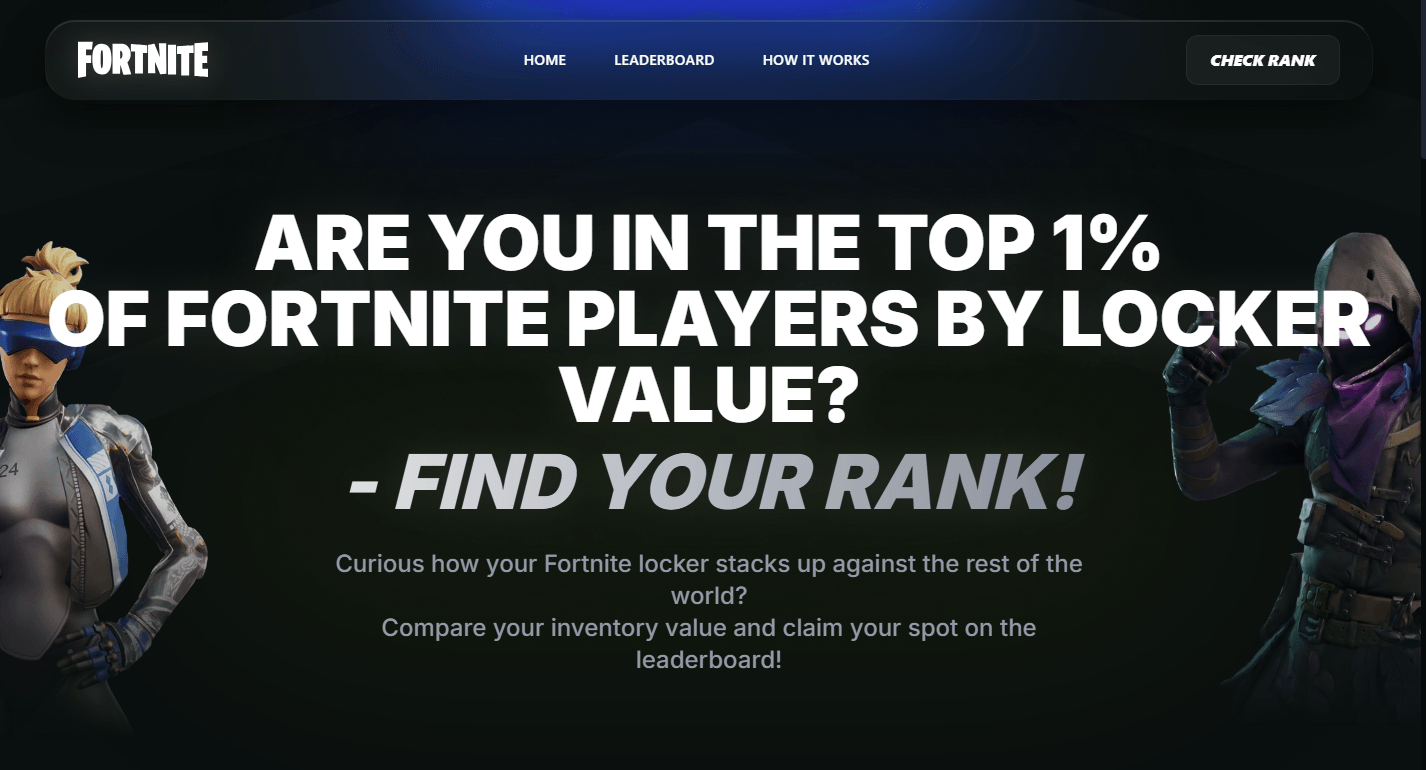
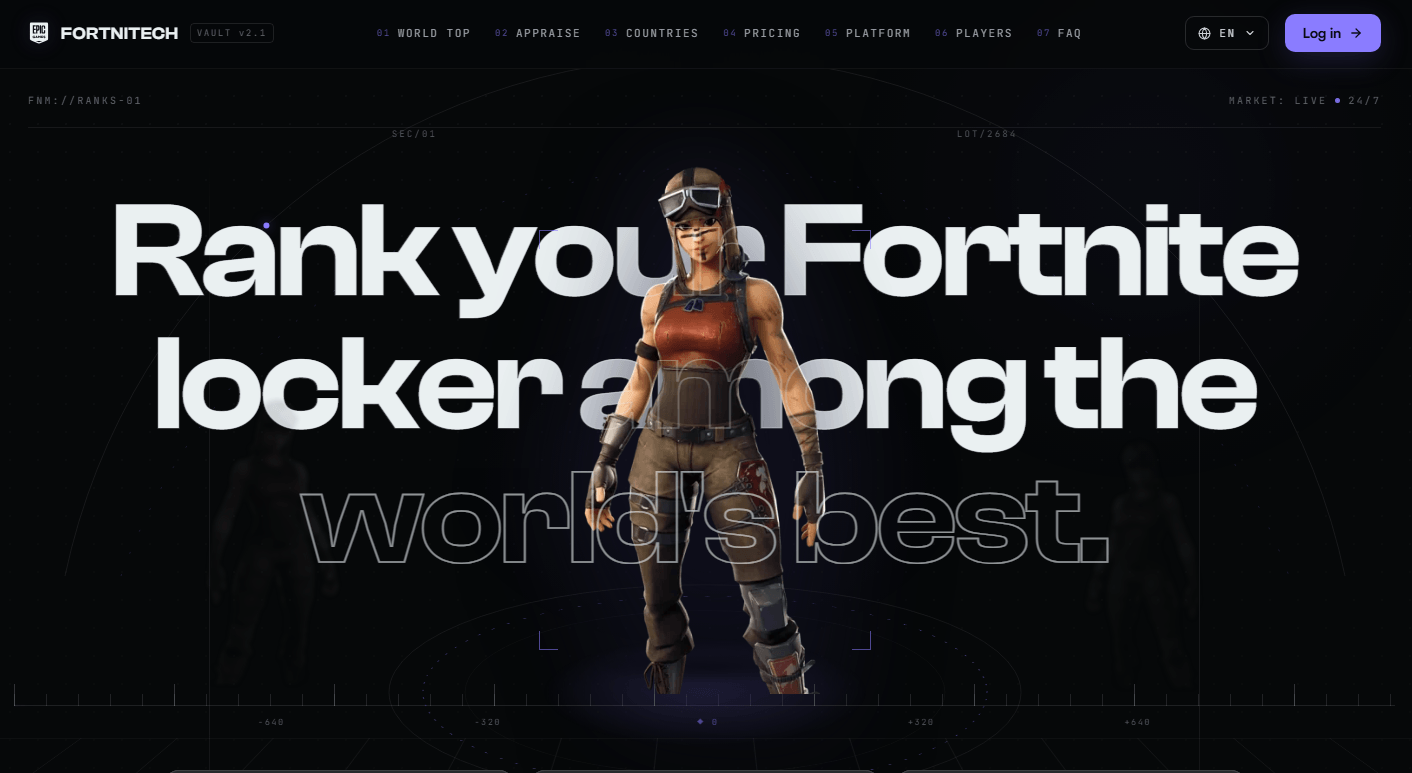
The hook changes, but the fake login page doesn’t. These sites all do the same thing. They ask you to sign in with your Epic account so they can steal your username and password.
Another variant: Fake settlement claims
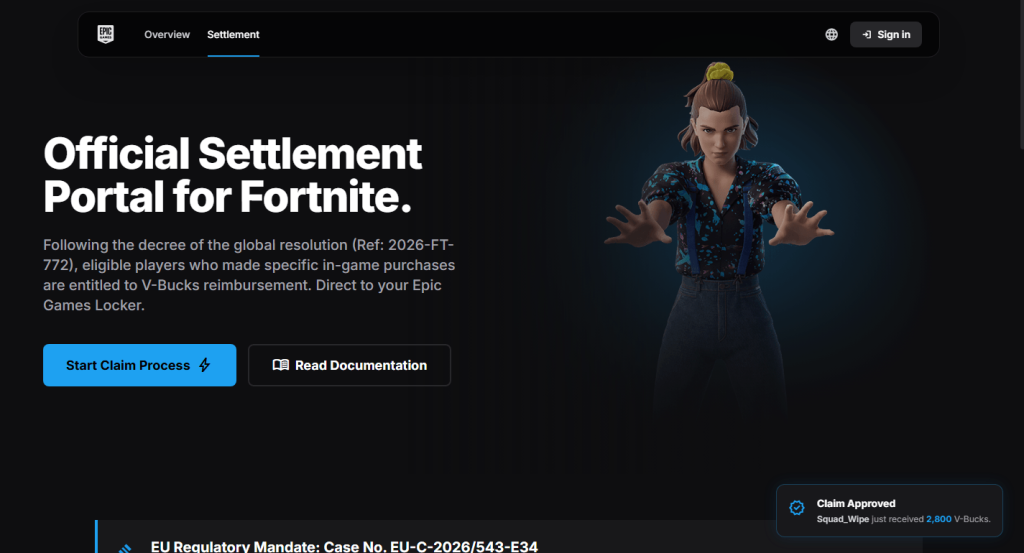
This one borrows a real story. Epic did settle with the FTC for $520 million, and real payments are still going out in 2026. But the real settlement pays actual dollars through the FTC’s own process, not in-game V-Bucks through an “Epic Games Locker,” and the claim window closed in July 2025.
References to an “EU Regulatory Mandate” and the case number shown on these pages don’t match any genuine legal action.
How to stay safe
Fortnite scams change constantly, but the advice doesn’t.
- Use Malwarebytes Browser Guard to block known phishing sites before they have a chance to steal your login details.
- Only sign in to your Epic account at epicgames.com. If another website asks for your Epic login, leave.
- Be sceptical of offers that sound too good to be true. Free V-Bucks, locker valuations, and surprise rewards are all common phishing lures.
- Verify refunds and settlements on the official source. If a page claims you’re owed money, check the regulator’s website yourself instead of following its links.
- Turn on two-factor authentication (2FA). It can stop attackers from accessing your account even if they steal your password.
- Use Malwarebytes Scam Guard. It can help you identify suspicious links and messages before you click.
What to do if you clicked
- Change the Epic password immediately, going directly to epicgames.com, not through the suspicious link.
- Turn on two-factor authentication if you haven’t already.
- Check your linked email for password reset requests or login alerts you didn’t make.
- Review connected devices/services on the account and remove anything unfamiliar.
- If you entered payment details anywhere, contact your card issuer and monitor your statements.
- Report the page to Epic’s support and flag it as phishing in your browser.
- If the page claims to be part of a settlement or refund, verify it on the regulator’s official website. For the Epic settlement, that’s ftc.gov.
Stop threats before they can do any harm.
Malwarebytes Browser Guard blocks phishing pages and malicious sites automatically. Free, one click to install. Add it to your browser →